GET UP TO 60% OFF NOW! USE PROMO CODE:
ALWAYS- LIMITED TIME OFFER

90-Day
Money-Back Guarantee

100% Encrypted & Secure Checkout

4.9/5 Based on 15,347 Verified Customer Reviews

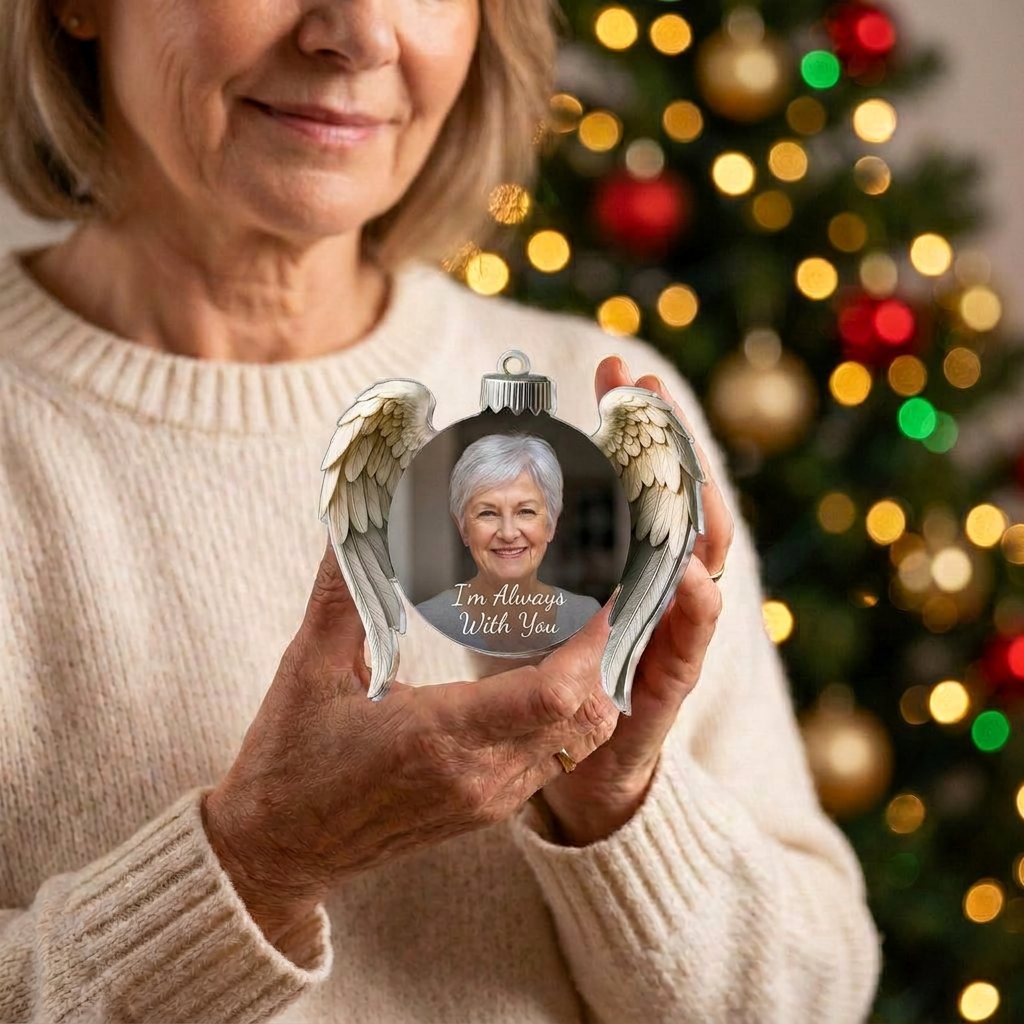
Always Near Ornament

Their photo. A quote you choose. A place on the tree every Christmas.

A round ornament with angel wings, made to order from the photo you pick. You see a preview of every ornament before you pay.

✓ ALWAYSPROMO APPLIED

Promo code expires in 10:00. Stay on this page

1

Step 1: Choose Your Ornaments

1 OrnamentOne for your tree

Save 50%+ Shipping

/ea Total

2 OrnamentsOne to keep, one to give

Save 55%Free Shipping

★ Most Popular /ea Total

3 OrnamentsOne for each branch of the family

Save 60%Free Shipping

★ Best Deal /ea Total
2

Step 2: Personalize Your Ornaments

#1

Always Near Ornament

9 cmeach

3

Step 3: Customer Information

4

Step 4: Shipping Information

90-Day Money-Back Guarantee: Order with confidence. Your Always Near Ornament is backed by our 90-day money-back guarantee.

5

Payment

All transactions are secure and encrypted.

Error message

Personalize every ornament above to unlock express checkout.

OR
Error message

Billing Address

Error message

Complete your transaction via Paypal

PayPal will open in a new tab.

Error message

After clicking "Complete Purchase", you will be redirected to complete your purchase securely.

Error message

After clicking "Complete Purchase", you will be redirected to complete your purchase securely.

By clicking the button below, you agree with our Terms of Use and Privacy Policy.

Premium Shipping Insurance for

Covers your order against loss, theft and damage in transit.

Protection benefitsWith coverageNo coverage
Loss, theft and damage coverage✓✕
Fast refund or replacement✓✕
Priority support✓✕
VisaMastercardAmerican ExpressDiscoverPayPalPayPay

Photo guide

  1. Tap Choose photo and pick a picture from your phone or computer. JPG, PNG, HEIC and WebP all work.
  2. Keep their face near the middle. The photo is trimmed to a circle, so anything at the edges is cut off. Once you have chosen a photo, the buttons under the preview zoom, turn and move it.
  3. Use a clear, well-lit photo where their face is easy to see. A phone photo is fine. Screenshots and tiny thumbnails print soft.
  4. Check the preview before you save. Your ornament is printed as shown. We do not retouch the photo or remove the background.

Trouble uploading? Contact us and we will help.